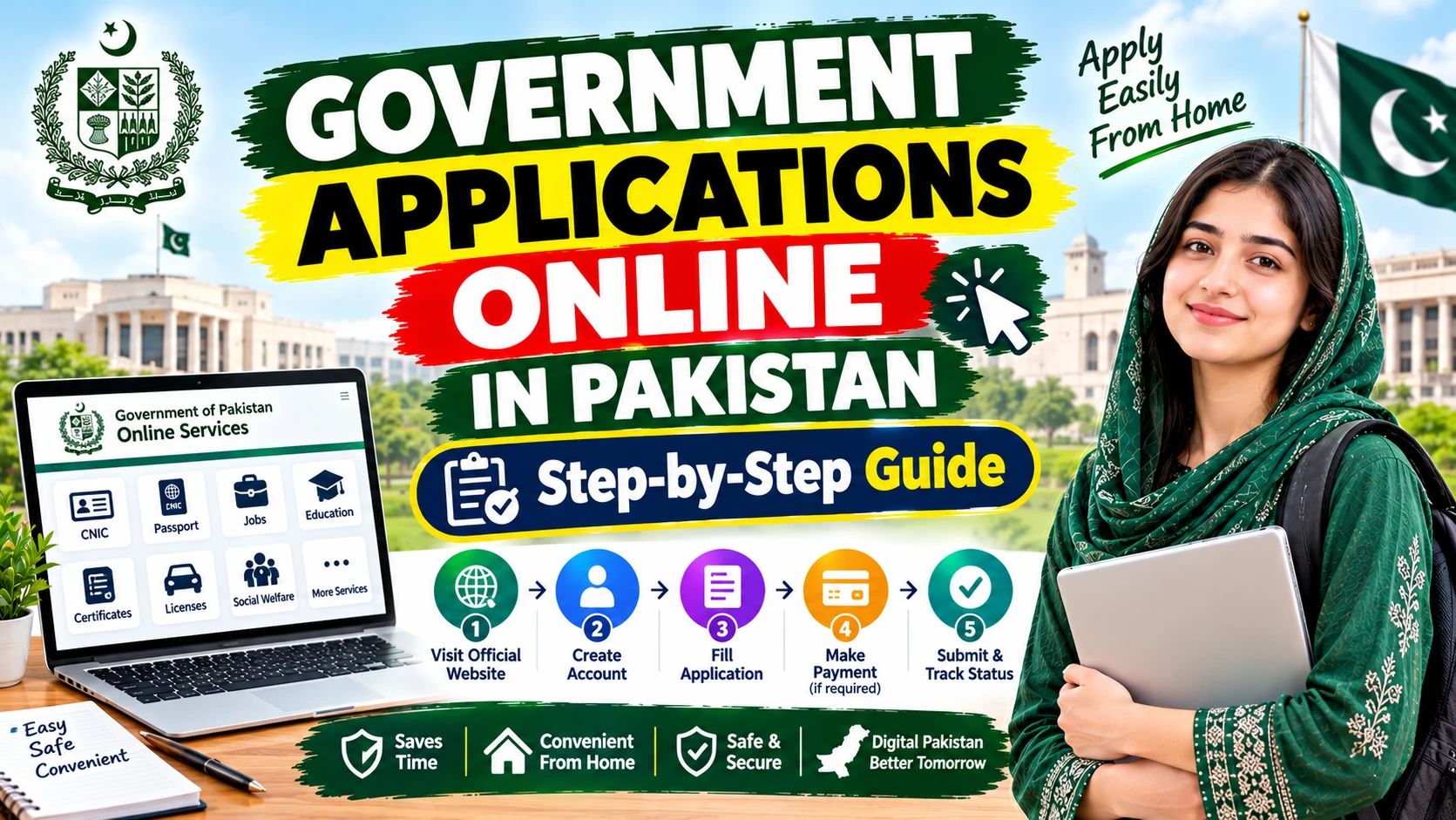
Government Applications Online in Pakistan – Step-by-Step Guide
Avail Government Applications Online in Pakistan by registering on their platforms for speedy service, skipping long lines, and submitting application from home. Time and again, individuals have looked for opportunities that would allow them to breeze through official services, without leaving home or wasting precious time.
The Government of Pakistan has a number of useful services online. And one more thing: we don’t have one online form for all government requests. Every department has a separate web page, criteria for eligibility, list of required documents, fees, and application procedures.
I am continuing to give you a detailed, step-by-step guide so that you can find the correct government application portal, get your documents ready, and submit your online application form in a safe way. To help students, jobs seekers, Pakistani families, and most friends.
Government Applications Online in Pakistan – Direct Answer
First, determine which government agency or department provides the service you require. Next, visit the appropriate official website, read the application process and follow the instructions to create an account if required. Finally, log in to complete the online application form, upload documentation and pay any application fees.
You will receive an application number or receipt when you have applied. Keep hold of it once you have applied. If a tracking tool is available, you will be able to check the progress of your application.
The Government of Pakistan’s official services directory provides links to several federal services, employment-related authorities, identity services, and provincial government portals.
Examples of official online services include:
- Identity services: NADRA’s official website and PakID mobile application.
- Tax services: The Federal Board of Revenue’s IRIS portal.
- Government complaints: Pakistan Citizen’s Portal.
- Government employment: Check the National Job Portal and your provincial and/or federal public service commissions in the government services directory.
Availability is different for each. Others may require you to come inperson, present biometics, original documents, or take a few extra steps. We got this!
What Are Online Government Applications?
Online govs services and online forms are designed to make your life more convenient. You may use these online forms to gain access to official documents, apply for certain benefits, get a government job, file a complaint, or do some paperwork, all from your own house.
The following useful services are operated by the state department concerned or by a certified service contractor.
Examples include logging into an official government recruitment portal to apply for a government job, visiting a tax portal to process your taxes, or utilizing an identity service to access your NADRA record.
Of course this is very convenient but note that the applications are not automatically given. Don’t worry, since each application is processed meticulously in accordance with the regulations.
Who Can Apply Online?
It depends on what type of service the person needs, not a “governmentwide policy” that applies to everyone.
As you apply, you may be required to satisfy some requirements, such as:
- A Pakistani either having a specific status, like a Pakistani national.
- Must have a valid CNIC, B-Form, passport or other acceptable ID.
- Be educationally qualified for the job or course of study.
- Living in a specific province or district.
- Qualification by household, income, or other criteria for other types of assistance.
- Providing any proof or fees which have been specified.
Before you begin to apply, take a quick moment to review together the most recent advertisement, notice of eligibility or service directives for that particular branch of government. You may be eligible for one government service, but that doesn’t mean you’re eligible for them all. You can do it!
Also Check: Latest Government Updates in Pakistan 2026 – Jobs & Schemes
How to Apply For Government Applications Online?
Here’s a quick guide to successfully complete the majority of online government services. Note: This might differ slightly by department.
Step 1 – Visit the Official Website
So first step on right side of the page go to that department website or on services directory of Government of Pakistan.
For instance:
- For positions with the federal government, try the National Jobs Portal.
- Searching for Federal Public Service Commission recruitment? Visit FPSC.
- Need identity documents? NADRA is your go-to.
These are the locations for the service they provided as a starting point. Remember to verify it is offered through the portal you selected.
Step 2 – Read the Requirements
- Take some time to review the requirements, application process, closing date, necessary documents and fee before starting the application form.
- To retrieve vacancies check out the full advertisement. For applications for scholarships or scholarships information, go for the main announcement of the program.
- Attempt not to depend on social media sites messages or old articles-needs can transform.
Step 3 – Register for an Account
Some portals allow for direct applications, some require registration.
If you need an account:
- Choose the registration option.
- Fill in the requested details accurately.
- Email address and a Mobile Number You regularly use.
- Complete the verification process.
- Keep your login details safe.
Give your name and ID number as needed by the department. Creating a second account is not a good idea unless instructed otherwise.
Step 4 – Fill Out the Online Form
Welcome! Now let’s help you fill in your details to ensure we get things right, such as your name, phone number, address, qualifications, work experience, and information related to the service. Go on!
- Look at each of the fields one more time before proceeding.
- Small details such as incorrect digits of CNIC, a typo in the name, and even a wrong birth date can make all the difference in your eligibility criteria and delay the process. We don’t want that!
- Keep to the provided format and size when uploading file(s).
- Do not upload any documents that are not relevant or modify official certificates. Well done!
Step 5 – (Optional) Make the official fee payment
- Many services are free but some are paid. The amount to be paid, when and due date can differ depending on the services you are using. It’s OK I am here to help!
- Simply follow the directions on the official portal. Store that payment receipt or reference number-this is your proof of payment!
- FPSC hiring procedures are clearly specified for every FPSC employment software and charge submission. Use FPSC guidelines on payments instead of others. You’re doing fine!
Step 6 – Review and Submit
- Please proofread your application one last time before you submit it to make sure all is in order, your supporting documents and the advert or the service you are applying for and whether payment (if applicable) is correct.
- Final step, submission. Hit submit only when you are satisfied! And a saved draft is not a submission. One more step!
Step 7 – Save Your Application and Track it
After submission:
- Save the confirmation message or application number.
- Save or print the submitted form if the portal permits you to.
- Save your payment receipt and other copies of your email or SMS confirmation.
- For updates on status, interview notices, objections, etc, check the official portal.
For instance, FPSC application tracking is available in this recruitment portal, which offers to print applications as well as find out the tracking ID for other recruitment activities.
Important Information Before Applying
| Information | What to know |
|---|---|
| Application method | Use the portal specified by the responsible department. |
| Eligibility | Depends on the particular service or announcement. |
| Documents | Prepare only those requested in the official instructions. |
| Application fee | May be free or paid; confirm the current official amount. |
| Deadline | Check the latest announcement and local time requirements, if stated. |
| Application status | Use an official tracking facility where available. |
| Approval | Submission does not guarantee acceptance or eligibility. |
Which Documents Should You Prepare?
There’s no definitive document list that will be used for all government applications but don’t panic! These are a few of the possible documents you’ll need depending on the service you’re applying for:
- Your CNIC or B-Form details.
- Educational certificates or transcripts.
- Proof of residence, like your domicile.
- A recent photograph.
- Employment or experience certificates.
- Income proof if you are asking for help programs.
- Follow-up application number or payment receipt.
Make sure to review the document checklist for the service you’re applying for. You may be asked to provide additional evidence by a service, or you may not need to upload any documents.
Common Problems and Their Solutions
- In case that the site does not loading correctly you should verify your internet connection first. Switch to another browser or wait a moment, then refresh the page or come back to the portal a couple of moments later, as the portal might be down. Double check the address before entering the portal.
- Ensure the CNIC or other information you entered is spelled accurately as per the original. For a different issue such as only one hyphen in the CNIC number instead of two hyphens, contact the department via their support system.
- Unable to receive OTPs, here are some things that you can try. Ensure that your mobile number or email id that you have registered is correct. Have you used any kind of message filtering system. If there is a resend button on your portal, click on that.
- Follow up to confirm it went through and that you’re viewing it in the correct account/tracking number. If it still isn’t appearing, call the department.
- Have your transaction reference and receipt ready. Revisit the portal and perform their official payment-support process. Never make a second payment until you are sure that the first one is not under processing.
- Check here to see if the department has officially closed or reopened applications. However, do not just assume you can submit late.
Safety Tips for Online Government Applications
- Always take care to guard your personal information when you’re submitting an online application.
- Firstly, check the website address before you type your CNIC, password, banking details, or documents.
- Never share your OTP or account password with any unknown individual.
- Beware of agents who offer sure jobs, scholarships, payments or approvals.
- Official WhatsApp messages are the only legit ones. If you get messages about your registration from an unofficial source, confirm them with the authority.
- Make payments only through the official department’s designated payment method.
- Ensure your safety-never upload identity documents on an unknown website that claims to provide non-authorized help with your application.
Sahulat Pak.com is at your service to understand the procedure. It is an independent portal of information, not the government department. So, let’s get you the guidelines from the authorized body.
Frequently Asked Questions
What is the process to avail online government services in Pakistan?
Step 1: Find the department on the service you’re looking for.
Step 2: Find it in their official portal, and explore the requirements.
Step 3: Fill out the form, add the documents, remember to store your confirmation! Good luck!
Is there a single portal for all government applications?
Almost. The Government of Pakistan’s services directory does provide links to a lot of departments but each service may be listed on its own federal, provincial or departmental portal. Just go looking for the right one.
Can you check your application status online?
It depends on the service you are applying for. You may have to provide CNIC information, educations records, domicile, photo or income documents. You should always check the official checklist beforehand.
Can you check your application status online?
Definitely! There are tracking, account dashboards, and status updates on a lot of portals. Be aware that not every department has the same tracking system; just be sure to utilize whatever department has for status updates.
Is an online government application always free?
Not necessarily. While some providers have no fee for applications, other might have a real application fee. Double-check the fee structure and how to pay it.
What happens if I make a mistake in my application?
No problem! See if there’s an edit/correction feature on the portal. If not, feel free to reach out to the department for a little help. Do not submit a duplicate, unless you’re instructed to do so. You’ve got this!
Conclusion
Due to the easy availability of online government portals, it is now as simple for you as a Pakistani citizen to avail jobs, identity services, tax facility, scholarships and a lot more! We are here to help you select the most appropriate official portal, verify the eligibility, provide the correct information, and obtain the acknowledgment that you require.
Rules, costs, and cutoff dates might be revised; it’s a good idea to contact the agency to verify the most up-to-date info earlier than you submit your software. Adhering to the directions and persevering with to personal the confirmation receipt should prevent from frequent errors.